Gates, Decisions and Checkpoints
For a change where the approach matters, you want to read the agent’s requirements and plan before any code is written. That’s spec-driven mode. In this tutorial you run one feature through it: you answer the requirements questions, send the PRD back once, approve the plan, and then use git checkpoints to see and undo what each step changed.
Time: about 15 minutes of your own steps, plus the agent’s time. You need: Shep set up in a repository, as in From zero to a merged PR.
Spec-driven mode is optional. Fast mode, the default, is the better choice for small changes.
Start a spec-driven feature
shep feat new "Add Stripe checkout: replace the cart total with a Stripe Checkout session and an order confirmation page" --no-fast --pr --effort high--no-fastruns the spec phases: analyze, requirements, research and plan, before implementation.--prpushes the branch and opens a draft PR once the code is done.--effort highasks for more reasoning per turn. Only Claude Code uses it; other agents ignore it. See Models & effort.
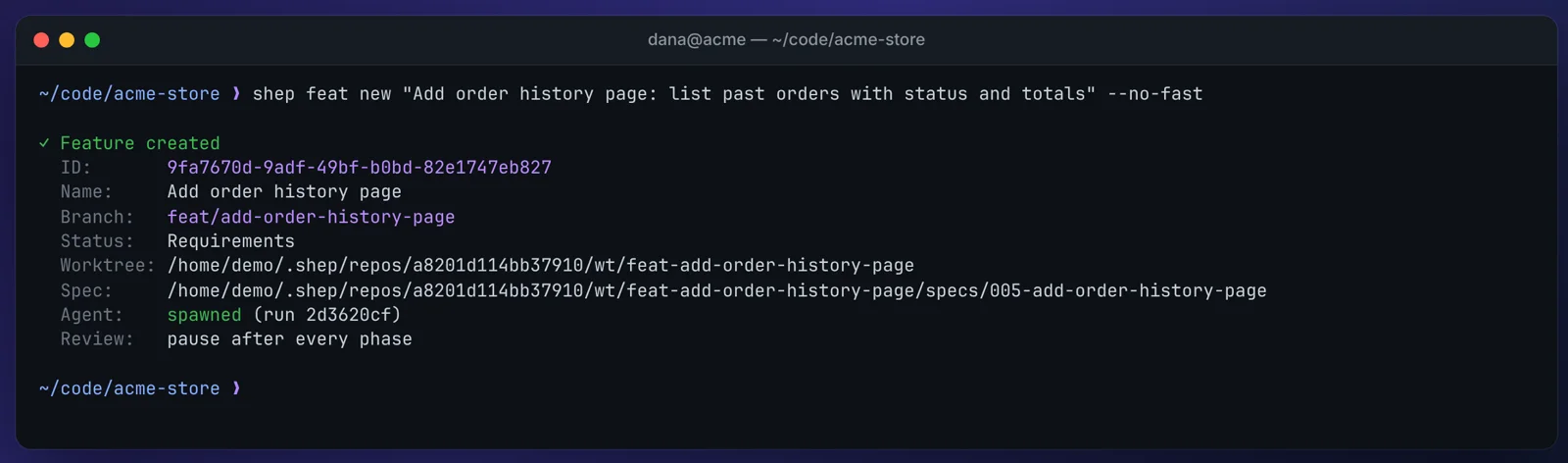
You should see the feature start in the Requirements phase, with a spec folder in its worktree and Review: pause after every phase:
Wait for the requirements gate
shep feat wait <id>
shep feat status <id>
You should see blocked, Why Waiting for your approval and Phase requirements. The agent has analyzed your code, written a PRD and turned its open questions into a short questionnaire.
Answer the requirements questions
Open the feature in the browser and pick the PRD Review tab. Each question is a decision: a few options, one marked Recommended and already selected.
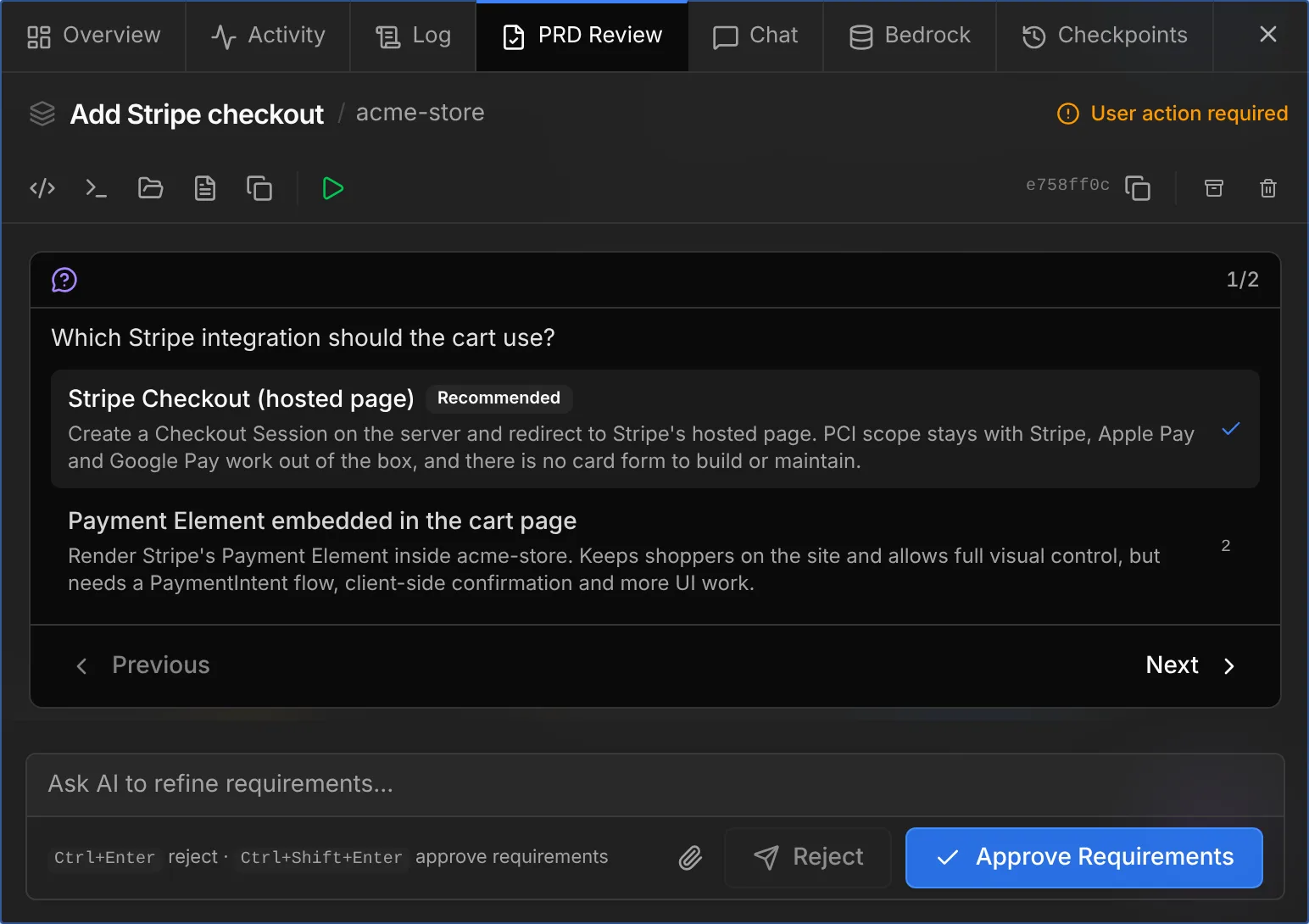
Pick an option with the mouse or the number keys, move with Next, or type your own answer. Prefer the terminal? shep feat review <id> walks you through the same questions and ends with approve or reject.
Don’t approve yet.
Send the PRD back once
Say the PRD missed something. Reject it with a reason:
shep feat reject <id> --reason "Also cover guest checkout, without an account"--reason is required: it is the feedback the agent gets. In the browser, type the note in the box under the questions and click Reject.
You should see the feature go back to work in the requirements phase. Wait for it again, read the new PRD, and approve it:
shep feat wait <id>
shep feat approve <id>
Review the plan
After requirements, the agent researches the approach and writes a plan. Research has no gate; the plan does.
shep feat wait <id>You should see Phase plan. In the browser, the Tech Decisions tab shows the plan review: a summary and each technical decision with its rationale and the options the agent considered.
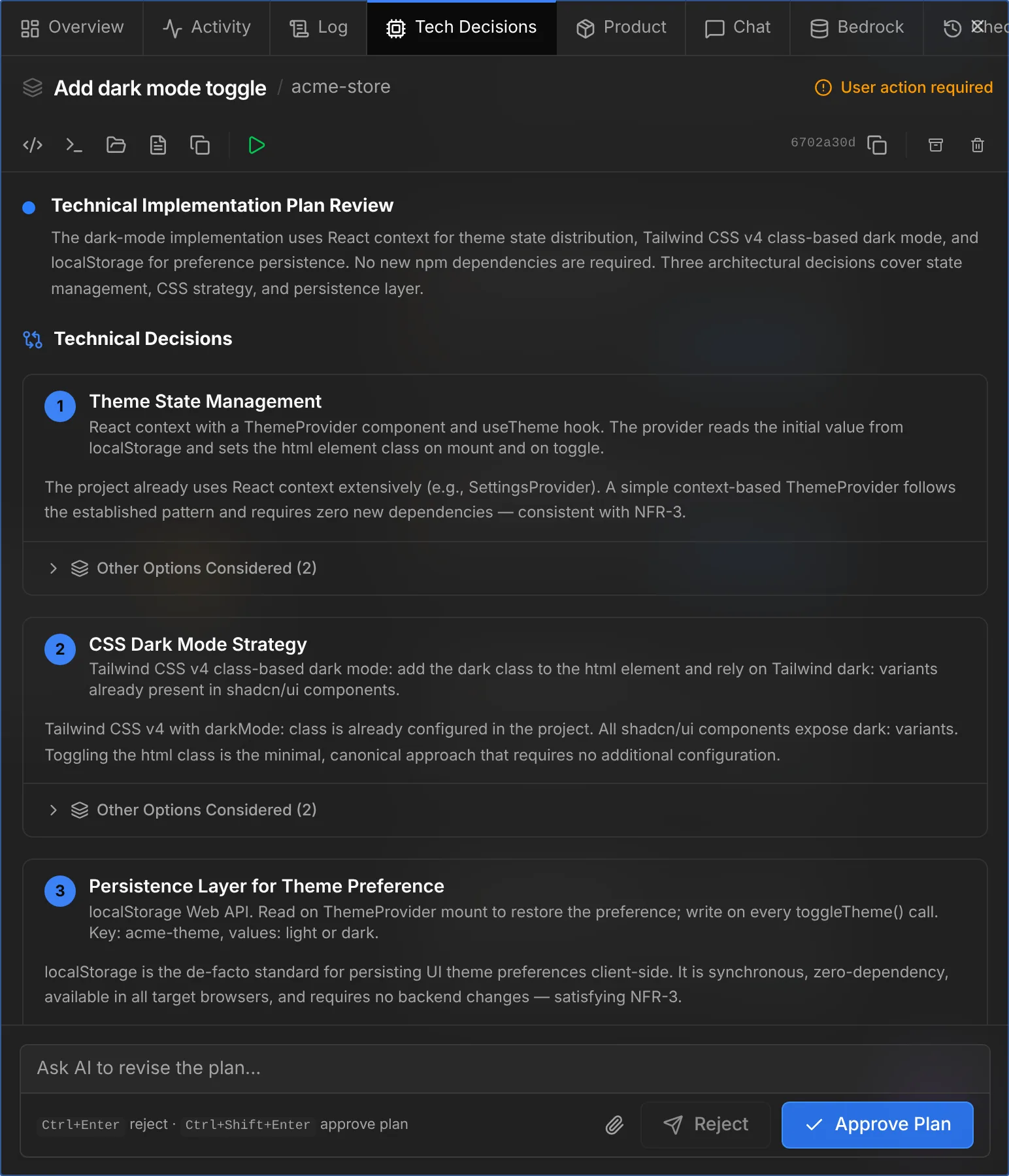
Approve it with Approve Plan, or:
shep feat approve <id>The agent now implements the plan task by task, commits, pushes and opens a draft PR. If it hits a choice it can’t make from the code, it may ask you through the Agent Questions inbox, with a deadline after which it takes its recommended option. Background questions work with Claude Code today.
List the checkpoints
When the feature reaches the merge gate (shep feat wait <id> returns again), look at what each step did:
shep feat checkpoints <id>You should see one row per step with when it was taken, how many files it changed and its commit, for example 0000-baseline, 0001-analyze, 0002-requirements and so on up to implement. A step that changed nothing has no checkpoint, and a step that ran twice, like the requirements you sent back, can have two.
Checkpoints live under refs/shep/checkpoints/ in your repository. They are never pushed.
Diff the steps
What did the implementation change?
shep feat diff <id> --to implement --statYou should see one line per changed file, marked A, M, D or R, with lines added and removed. Drop --stat for the full diff. Compare any two steps with --from:
shep feat diff <id> --from plan --to implementIn the browser, the Checkpoints tab shows the same, with Per step and Compare views.
Roll back, then undo it
Try a restore while the feature waits at the gate:
shep feat restore <id> planShep asks Restore the worktree to "plan"? … before it changes anything. Answer y.
You should see Worktree restored to plan and, under To undo:, a command that restores the pre-restore checkpoint Shep took first. The branch and its commits haven’t moved; only the worktree’s files changed. Run the undo command now so the implementation is back.
A restore is refused while the agent is running. A run waiting at a gate is fine.
Merge
Review the PR, then approve the merge gate:
shep feat approve <id>What you did
- You set the requirements and checked the plan before any code was written.
- You sent work back with a reason instead of editing it yourself.
- You saw exactly what each agent step changed, and rolled the worktree back and forward without touching the branch.
To skip gates you trust, add --allow-prd or --allow-plan to shep feat new. To make spec-driven the default, set Settings → Workflow → Default feature mode to Regular.
Troubleshooting
shep feat rejectasks for--reason. The flag is required. There is no--feedbackflag.shep feat approvesays the feature isn’t waiting for approval. The agent is still working. Runshep feat wait <id>first.shep feat restoreis refused. The agent is running, the worktree is gone, or the feature doesn’t use its own worktree. Wait for the next gate and try again.- No
implementcheckpoint. The implementation hasn’t finished, or it changed nothing.shep feat checkpoints <id>lists what exists.
What’s next
- Spec-driven mode: every phase and how to tune the gates.
- Decisions & agent questions: every place you can answer an agent.
- Git checkpoints: the full reference for
checkpoints,diffandrestore. - Supervisor & guardrails: let rules approve the gates you always approve.