Models & Reasoning Effort
Every feature run uses one agent and one model. You choose a default model once, and you can override it for a single feature. Three more settings control how much a run thinks and spends: reasoning effort, adaptive model tiers, and the shep usage report.
The default model
A fresh install runs on claude-opus-5-5. Onboarding in the browser asks you to pick an agent and a model, so most people change this on day one.
If you set a model before, Shep keeps it. A new release never rewrites a saved models.default; the built-in default only applies to installs that have never chosen one.
Where model lists come from
Each agent offers its own list of models. For some agents Shep asks the agent or provider for the current list, so a new model shows up without a Shep upgrade. For the rest, Shep ships a built-in list.
| Agent | Where the list comes from |
|---|---|
| Claude Code | The Anthropic Models API (GET /v1/models) when ANTHROPIC_API_KEY or ANTHROPIC_AUTH_TOKEN is set, otherwise the aliases the claude CLI reports, otherwise the built-in list |
| Cursor CLI | cursor-agent --list-models |
| Codex CLI | codex debug models |
| OpenRouter | OpenRouter’s public model list (/api/v1/models) |
| Together AI | Together AI’s /v1/models (needs your API key) |
| Kimi Code, Gemini CLI, Copilot CLI, Cline, Ollama, LLM Proxy | Built-in list |
Live lists are cached for an hour. If a lookup fails, the picker falls back to the built-in list, so an offline machine still has choices.
A few notes on specific agents:
- Claude Code on Bedrock, Vertex or Foundry uses provider-specific model ids, so Shep skips the Anthropic API there and uses the CLI aliases or the built-in list.
- Kimi Code treats
--modelas a key in~/.kimi/config.toml. The built-in list uses the default keys (kimi-k3,kimi-k2.7-code, …). - LLM Proxy fronts whatever your proxy serves, so its list is only a starting point.
The web model picker accepts any model id you type, not only the listed ones. Shep doesn’t check your input against the list, so a model released yesterday works as long as the agent accepts it.
Set your default model
From the terminal:
shep settings agent    # pick the agent first
shep settings model    # interactive picker for that agent's models
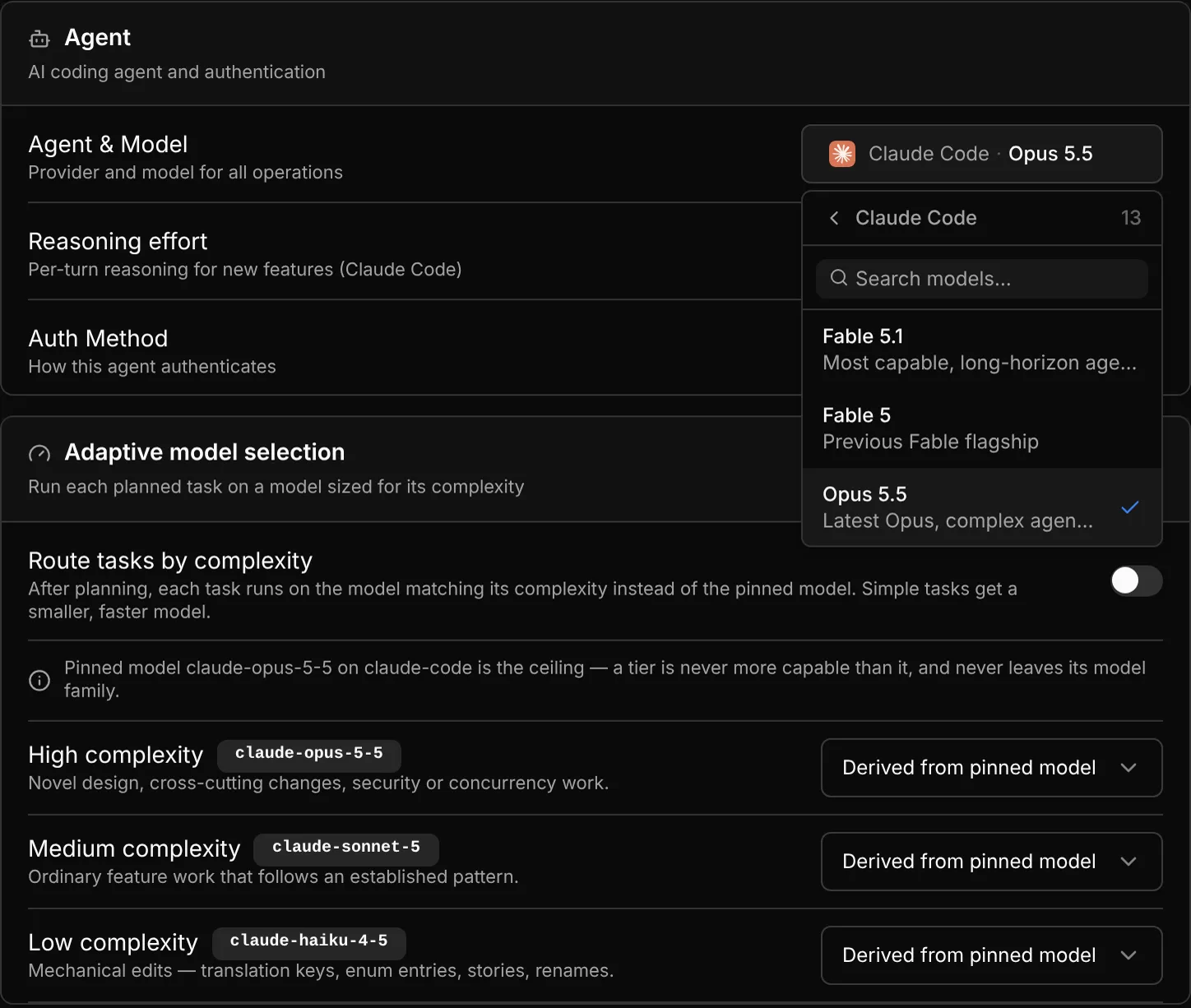
shep settings model shows the built-in list for the agent you have configured. If you need a model that isn’t listed, choose it in the web UI instead: Settings → Agent → Agent & Model shows the live list and lets you type any id.
Override the model for one feature
shep feat new "Add rate limiting to the public API" --model claude-sonnet-5   # Claude Code
shep feat new "Add rate limiting to the public API" --model gemini-2.5-flash  # Gemini CLI
shep app new "A booking tool for climbing gyms" --agent codex-cli --model gpt-5.6-sol
shep feat new --model uses your configured agent, so pass a model that agent serves. shep app new also takes --agent (claude-code, codex-cli, cursor, gemini-cli, …). In the web UI, the agent and model chip in the New feature composer lets you change both.
The model is pinned to the feature when it’s created. Later changes to your default don’t affect it. To change a pinned model, open the feature’s Overview tab and use Pinned execution. The new agent and model apply from the next start, approval or retry.
Reasoning effort
Reasoning effort sets how long the agent may think on each turn. The levels, from least to most reasoning:
| Level | Web label |
|---|---|
low | Low |
medium | Medium |
high | High |
xhigh | Extra high |
max | Max |
If you leave effort unset (“Agent default”), Shep sends no effort flag and the agent uses its own default.
Only Claude Code receives the effort setting (as claude --effort <level>). Other agents ignore it. Cursor encodes effort in the model id instead (for example claude-opus-5-5-high), so pick the variant you want in the model list.
Set a default for new features:
shep settings effort            # interactive picker
shep settings effort high       # set the default
shep settings effort --clear    # back to the agent's own default
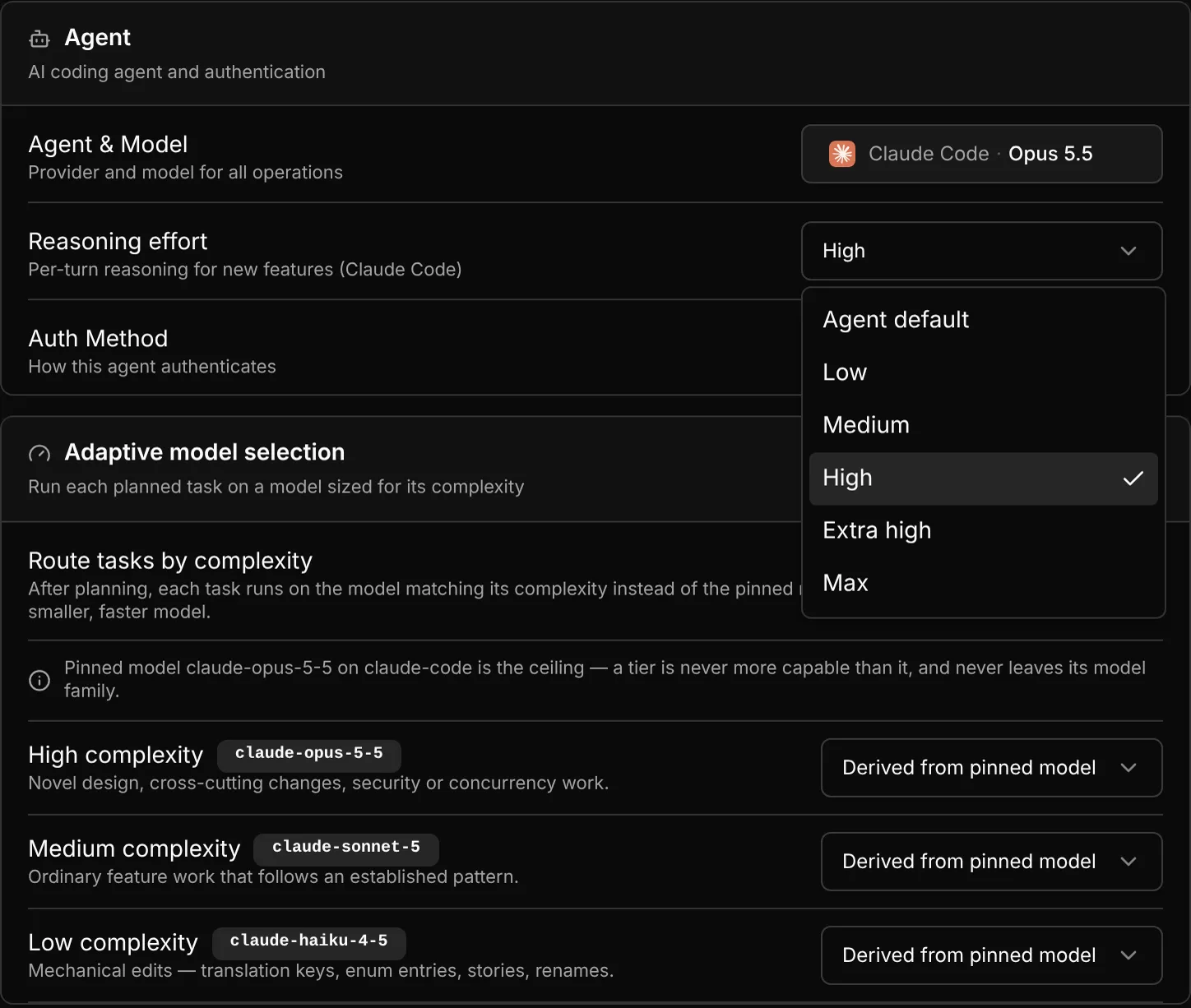
Or use Settings → Agent → Reasoning effort:
Override it for one feature:
shep feat new "Refactor the billing module" --effort xhighIn the web composer, the effort menu sits next to the agent and model chip:
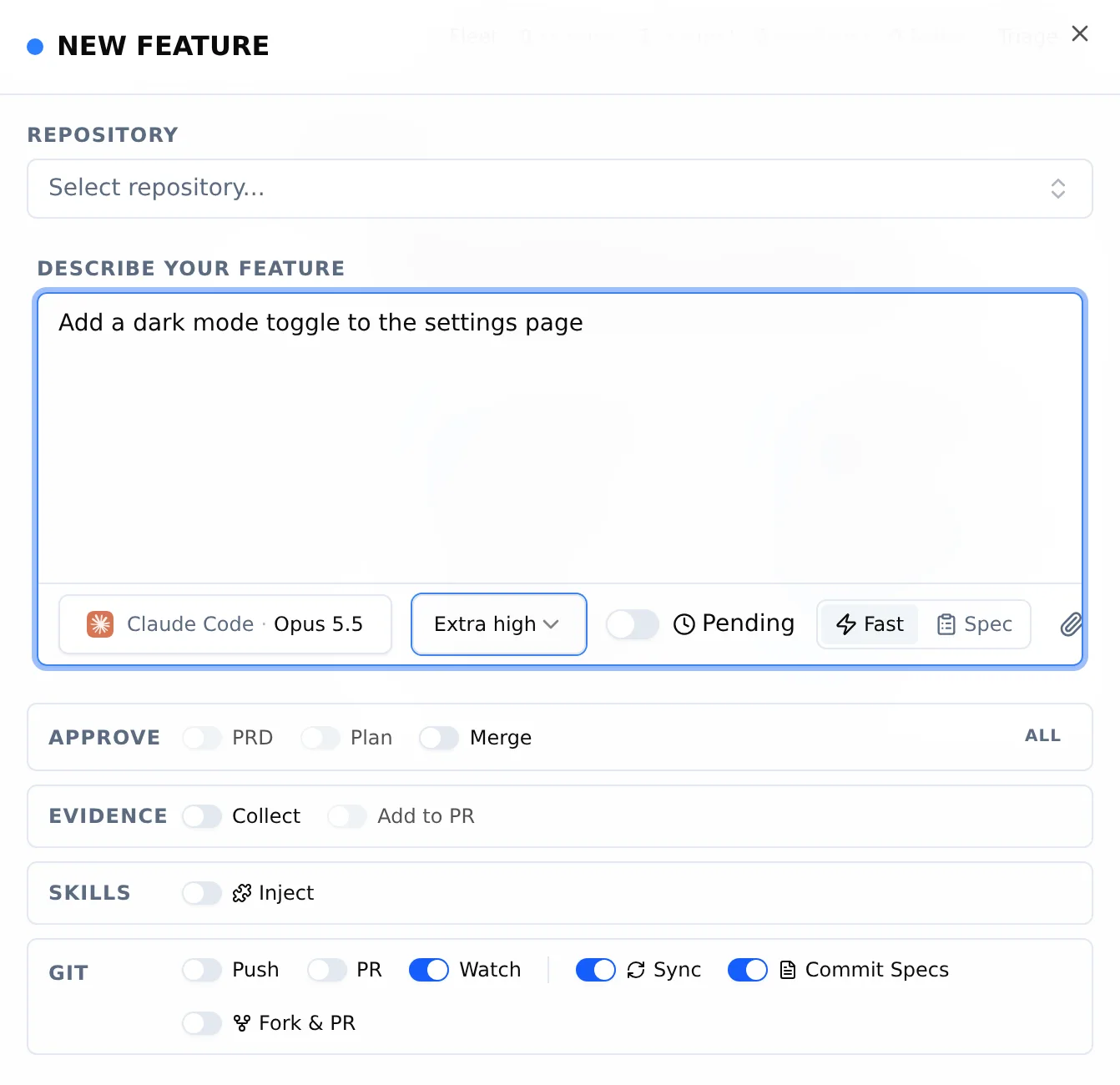
Like the model, effort is pinned when the feature starts. Shep sends the same level again when the run resumes, after an approval, and on retry, so changing your default later doesn’t change a run in flight. An invalid value passed to --effort is rejected before the feature is created.
Adaptive model tiers
A spec-driven run produces a plan of tasks, and many of them are mechanical: renames, translation keys, enum entries, stories. With adaptive model selection on, Shep classifies each planned task as High, Medium or Low complexity and runs it on a model sized for that tier.
The rules:
- The pinned model is a ceiling. A task never runs on a model more capable than the one you pinned. If you pin a mid-size model, High tasks run on that model, not a larger one.
- Tiers stay in the pinned model’s family. A Gemini pin only routes to Gemini models; a Claude pin only to Claude models. To cross families, set a tier model explicitly.
- Only models the agent serves are used. A pinned model Shep doesn’t recognise disables routing for that run instead of failing it.
- Task order is kept. Consecutive tasks that resolve to the same model run together, and dependent tasks never move.
Routing applies to the implementation tasks of spec-driven runs. Fast-mode runs use the pinned model throughout.
shep settings adaptive-models                        # show the resolved tier plan
shep settings adaptive-models --enable               # turn routing on
shep settings adaptive-models --low claude-haiku-4-5 # choose the Low-tier model
shep settings adaptive-models --high ""              # empty string: derive the tier again
shep settings adaptive-models --clear                # drop all tier overrides
shep settings adaptive-models --disable # run every task on the pinned model| Flag | What it does |
|---|---|
--enable / --disable | Turn routing on or off |
--high <model>, --medium <model>, --low <model> | Pick the model for a tier. An empty string goes back to deriving it from the pinned model |
--clear | Remove every tier override |
Without options, the command prints the plan: the agent, the pinned model (the ceiling), and the model each tier resolves to. If the pinned model has no smaller sibling in the agent’s list, it tells you every task would still run on the pinned model.
The same settings are in Settings → Adaptive models (“Route tasks by complexity”, plus a model per tier).
See what runs cost: shep usage
shep usage                           # last 7 days, grouped by phase
shep usage --since 24h --by agent    # last day, by agent
shep usage --by feature              # which feature used the most
shep usage --by model --json # machine-readable, by model| Flag | Default | Values |
|---|---|---|
--since <duration> | 7d | A number and a unit: s, m, h, d, w (for example 36h, 2w) |
--by <dimension> | phase | phase, agent, feature, model |
--json | off | Print the full result as JSON |
The report lists runs started, completed, failed and stopped in the window, then one row per group: runs, p50 and p95 phase duration, tokens, cost and failure rate.
Cost is only as complete as what the agents report. Claude Code reports cost. The SDK providers (OpenRouter, Together AI, Ollama, LLM Proxy) report tokens but no cost, so their cells show n/a. A total that includes such runs is marked PARTIAL, and a group with some missing costs shows its sum with a +.
What’s next
- Agents — install and authenticate each supported agent.
- Spec-driven mode — the planning phases that adaptive tiers build on.
- Fleet management — run many features in parallel and keep costs in view.
- Configuration — every other setting.