Welcome to Shep
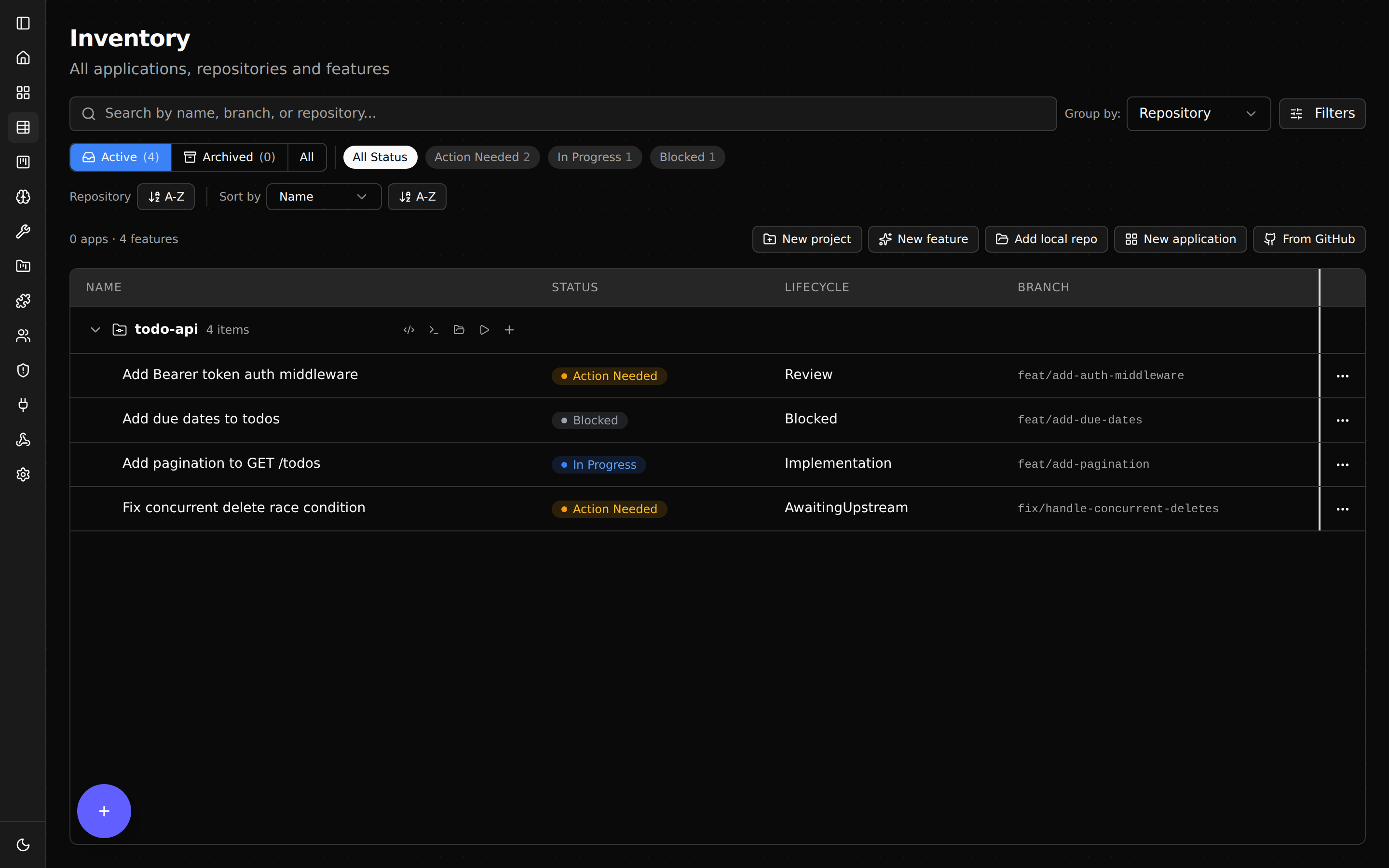
Shep runs AI coding agents in parallel — each in its own git worktree — so you can ship 10+ features at once. One command and your agent codes, commits, pushes, and opens a pull request. You stay on main the entire time.
Quick start
npx @shepai/cli                     # try it without installing
npm i -g @shepai/cli                # or install globally

cd your-project
shep                                # opens dashboard at localhost:4050

shep feat new "add a /health endpoint" --push --pr
That last command creates a worktree, runs your AI agent, commits, pushes, and opens a PR — all while you keep coding on main.
Where to start
| If you want to… | Read this |
|---|---|
| Install Shep and ship your first PR | Getting Started |
| Understand worktrees and parallel runs | How Shep Works |
| Manage features from the browser | Web Dashboard |
| Look up a CLI flag or command | CLI Reference |
| Customize agent, port, or workflow | Configuration |
| Watch CI and auto-fix failures | CI Watch & Auto-Fix |
| Add structure with approval gates | Spec-Driven Mode |
| Work across multiple repos at once | Multi-Repo |
| Switch between Claude / Cursor / Gemini | Custom Agents |
| Solve a setup or runtime issue | Troubleshooting |
Who is Shep for?
Engineers already using AI coding agents who want to run more than one feature at a time without losing track. If claude, cursor, or gemini is on your PATH and you have GitHub CLI configured, you’re ready.
Stay in the loop
- Star the GitHub repo
- Join the Discord — questions, bug reports, feature requests
- @shepai_bot on X
What’s next
- Getting Started — install Shep and ship your first PR in five minutes.
- How Shep Works — the worktree model in plain English.
- Web Dashboard — every panel, button, and chat input explained.